Where it goes
Five channels, one company account, two people. One production, cropped — nothing is made for a single channel.
| Account | What it posts | Formats |
|---|---|---|
| LinkedIn · company | Product, evidence, hiring | Carousel, statement, text post |
| LinkedIn · Thomas Pohle, Emma Woelk | The founder's view, work in progress | Text post, carousel |
| YouTube | Walkthroughs, the case for EU processing | 16:9 long form, Shorts |
| The craft, for practitioners | Carousel, Reel, story | |
| TikTok | Reach beyond the buyer list | 9:16 video |
| A mirror — no separate production | whatever Instagram got |
- English everywhere, even though the website runs in sixteen languages.
- Personal profiles follow their own voice — but a product claim, a number or a screenshot follows the rules here.
- Every claim is traceable: a number, a name, a date, or it does not go out.
- Every video is captioned, and its first frame works as a still.
- A channel silent for eight weeks is closed, not left standing.
The formats we use
Four canvases. Everything is built at 1080 on the short edge and cropped from there.
| Canvas | Use | Where |
|---|---|---|
| 1080×1350 · 4:5 | Feed image, carousel slide | LinkedIn, Instagram, Facebook |
| 1080×1920 · 9:16 | Video, story | Reels, Shorts, TikTok, LinkedIn |
| 1920×1080 · 16:9 | Long form only | YouTube |
| 1200×630 | Link card | wherever a URL is shared |
- Margin 6 % of the short edge — 65 px on 1080. Nothing that must be read crosses it.
- On 9:16 three zones belong to the platform: top 250 px, bottom 500 px, right 220 px. Design the middle.
- Build 9:16 first, crop to 4:5. The other way round puts the subject in the bottom zone every time.
- 1:1 is not used. 4:5 is taller and no channel refuses it.
- Carousel on LinkedIn is a PDF at 1080×1350 per page; on Instagram the same slides as images.
the middle
Type on social
Instrument Sans carries a width axis, 75 to 100. Condensed capitals are the headline voice; everything else stays at normal width.
| Role | On 1080 | Spec |
|---|---|---|
| Headline, condensed caps | 100 px | 700 · wdth 75 · −0.012em · line-height 0.94 |
| Headline, mixed case | 72 px | 600 · wdth 100 · −0.034em |
| Body | 42 px | 400 · 1.4 |
| Label | 30 px | 600 · 0.14em · uppercase |
| Number | 230 px | 600 · −0.042em · tabular |
- Two colours in a headline, never three. White carries the sentence,
#B49BF0the two or three words that are the point. On white ground the accent is#8250E6. - Nothing below 40 px on a 1080 canvas — roughly 4 % of the short edge, and the floor for a phone at arm's length.
- Twelve words on a headline. More is a second slide.
- Condensed is for headlines only. Body copy at
wdth 75stops being readable at this size. - Type over a photograph gets a scrim, not a heavier weight:
rgba(20,16,32,.92)to transparent at 72 %. - The width axis lives in the variable font. Install
InstrumentSans-Variable.ttffrom Frontend section 04, not a static cut — a static cut has no width axis and the headline silently falls back to normal.
Carousel templates
Nine slides that cover every carousel we post. Hook, six kinds of middle, two ends.
- Six to ten slides. Under six is a single post, over ten nobody reaches the end.
- The first slide carries the whole promise. It is the only one most people see, and it is what the feed shows as the preview.
- One idea per slide. If a slide needs two headlines it is two slides.
- The last slide asks for exactly one thing. Comment a word, or go to the profile — never both.
- Slide numbers and the swipe hint sit outside the margin band, bottom centre and bottom right, and are drawn on every slide except the last.
- No slide is understood only in sequence. People enter carousels in the middle from a share.
The set
| Template | Use | |
|---|---|---|
| C1 | Hook, photo | Opening slide when a face or a scene carries it |
| C2 | Hook, plain | Opening slide when the sentence carries it |
| C3 | Numbered step | The body of a how-to |
| C4 | Quote or prompt | Something to be copied out verbatim |
| C5 | Before and after | Two states, one comparison |
| C6 | One number | A figure that is the whole slide |
| C7 | Product proof | A screenshot that shows it is real |
| C8 | Close, keyword | Comment or DM a word |
| C9 | Close, profile | Send them to the profile or the link |


Four tools, one export each, 90 minutes, numbers that disagree.
One view, filters in the URL, four minutes, one source.

Ten carousel types
Ten structures that carry a carousel from the first slide to a reason to act. Each fixes a sequence of slide kinds and a visual register, so a machine can build them again and again without inventing anything.
The slide vocabulary
Every slide in every type is one of these. The word limits are the point: they keep a slide readable on a phone, and they let a generator know the text is too long before anyone sees it.
| Kind | Fields | Limits |
|---|---|---|
hook.photo | headline, photo | headline ≤ 12 words, ≤ 3 accented |
hook.plain | headline | same, on the type’s own ground |
hook.split | headline, photo.top, photo.bottom | same; the seam carries the contrast |
step | index, title, body | title ≤ 8 words, body ≤ 30 |
step.rail | index, of, title, body | same, plus the position in the sequence |
step.framework | parts[3], active, title, body | same, plus all three parts on every slide |
list | title, items[3–5] | title ≤ 7 words, item ≤ 12 |
myth | myth, correction | each ≤ 18 words |
compare | title, left{label,body}, right{label,body} | title ≤ 7 words, body ≤ 18 |
figure | value, unit, line, source | line ≤ 14 words, source ≤ 10 |
figure.xl | same | same, and the number fills a third of the frame |
quote | label, text | text ≤ 35 words |
proof | label, screenshot, markers[0–3] | label ≤ 6 words |
cta.keyword · cta.profile | see section 04 | one ask only |
The register, and why the ten look different
Ten structures that differ only in the order of their slides look identical in a feed. A reader who cannot tell a teardown from a listicle before reading it gets no signal from the type, and the type has bought nothing.
So each type also fixes a register: three variables that decide what it looks like before a word is written.
| Variable | Values | What it decides |
|---|---|---|
ground | photo · canvas · paper · gradient · split | The surface, on every slide. It also picks the logo variant: icon-light on paper, icon-dark everywhere else. |
text | minimal ≤ 12 words a slide · medium ≤ 35 · heavy ≤ 60 | How much a slide may carry. Not a style — a budget. |
lead | headline · numeral · figure · diagram · artefact · pair | What the eye lands on first, and therefore what is drawn largest. |
- No two types share all three values. The build checks it: a duplicate triple stops the build the same way an unbalanced section does. Four grounds, three budgets and six lead elements leave room for far more than ten — the check makes sure the room is used.
- The ground applies to every slide, not only the cover. On a photo ground the image stays behind each slide at 24 % under a scrim; on paper every slide is white. That is what makes six frames read as one post instead of six.
- The lead element is drawn large enough to be the subject. A
figure.xlat a third of the frame height is a data post; the same number at label size is decoration on a text post. - The register is not a mood board. It is three enumerated values, it stands in the build spec, and the generator reads it.
- Two types on the same ground must differ in the lead. T3 and T4 both sit on the canvas; one is carried by a rail, the other by a struck-through pair. That is the difference a reader sees at thumbnail size.
The ten, at a glance
| Type | Ground | Text | Lead | Optimised for |
|---|---|---|---|---|
| T1 Problem, cost, mechanism | photo | medium | headline | Saves, profile visits |
| T2 The list | paper | medium | numeral | Saves |
| T3 The sequence | canvas | medium | diagram | Saves, comments |
| T4 Myth and correction | canvas | medium | pair | Comments, shares |
| T5 Before and after | split | minimal | pair | Saves, profile visits |
| T6 The teardown | paper | heavy | artefact | Saves, shares |
| T7 The named framework | gradient | minimal | diagram | Shares, profile visits |
| T8 The data story | photo | minimal | figure | Shares, saves |
| T9 The position | photo | minimal | headline | Comments |
| T10 Behind the build | photo | heavy | headline | Profile visits, trust |
The two extremes are deliberate. T7 is the graphic one — a named diagram redrawn on every slide, the least text of any type. T6 is the text one — an artefact taken apart, where every marker has to be argued and the budget is 60 words a slide.
The grounds
Every type has its own artwork. Thirteen grounds are supplied at /karten/ — eleven at 4:5 (1080×1350) and two at 9:16 (1080×1920). They are renders in the facet language of the frontend guide: no particle fields, no stock, and nothing depicting a real person, place or event, which is also why none of them needs an EU icon under section 20.
How a ground is used follows from the register, not from taste:
| Ground | Treatment |
|---|---|
photo | Cover slide full bleed under the scrim, every later slide at 30 % under a veil. |
paper | The render sits on white, so it is placed at full strength as an element in a fixed corner — and the text column narrows to clear it. At 30 % it would be invisible on white. |
canvas · gradient | 30 % under a veil on every slide. Texture, not subject. |
split | Two renders, one above and one below the amber seam. |
| File | Shows | Used by |
|---|---|---|
c-weight | Slabs pressing down on a pinched amber thread | T1 — the problem and its cost |
c-tangle | Ribbons knotted at conflicting angles | T5, above the seam |
c-order | The same ribbons stacked in parallel, one amber | T5, below the seam |
c-ascent | Stepped planes rising to an amber crest | T8 — the data story |
c-monolith | One shard, edge-lit, in empty space | T9 — the position |
c-assembly | Exploded plates with guide lines, one amber | T10 — behind the build |
c-stack | A column of lozenges on white, the top one amber | T2 — the list, right edge |
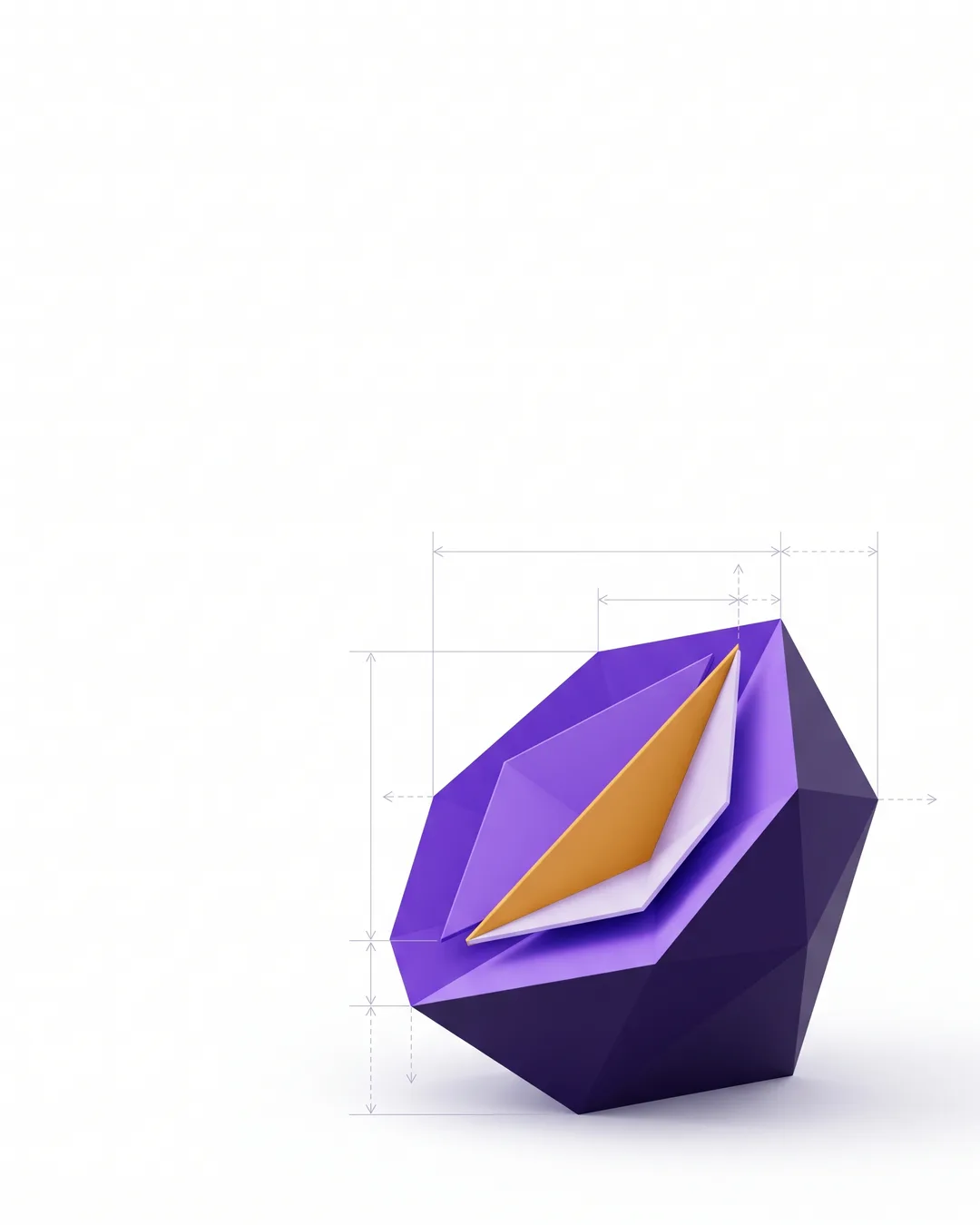
c-section | A form cut open on white, with measurement lines | T6 — the teardown, top-right corner |
c-drift | A field of chevrons, all pointing the same way | T3 — the sequence |
c-cleave | Two opposing fields meeting at a centre seam | T4 — myth and correction |
c-triad | Three interlocking rings traced in amber | T7 — the named framework |
c-column · c-blade | 9:16, for the video frames in section 17 | Section 17 and 20 |
- A type is a sequence, not a mood. Slide four of a teardown does a different job than slide four of a listicle, and swapping them breaks both.
- Five or six slides. Below five the structure has no room to build; above six the drop-off eats the ending.
- Every slide has to survive alone. People enter carousels in the middle from a share.
- The generator fills slots, it does not invent slides. If the material does not fit the type, the type is wrong — not the limit.
- Every claim needs its source field filled. An empty source is a blocked publish, not a soft warning.
T1 · Problem, cost, mechanism
The workhorse. Name a pain the reader already has, price it, then show the one thing that changes it.
When: A cold audience that does not yet know the product. The most reliable structure there is, and the least original — which is why it works.
type: carousel.t1
goal: saves + profile visits
ground: photo    text: medium    lead: headline
slides:
   1  hook.photo   the pain as one sentence, in their words
   2  figure      what the pain costs, with the source
   3  step        why it persists — not who is to blame
   4  compare     the old way against the mechanism
   5  proof       a screenshot that shows it is real
   6  cta.keyword one word, one promise
Four exports, reconciled by hand, numbers that disagree by Tuesday.
One view. Filters live in the URL, so the report is a link.
T2 · The list
Four things, one per slide, on white. The most saved structure on every platform, and the easiest to get lazy with.
When: Practitioners. Anything that can be counted without forcing it.
type: carousel.t2
goal: saves
ground: paper    text: medium    lead: numeral
slides:
   1  hook.plain   the count and the payoff, no adjectives
   2  list        all four at once, so slide one is not a lie
   3  step        item 1, with the reason it matters
   4  step        item 2
   5  step        item 3 — the one worth the swipe
   6  cta.profile the rest lives on the site


T3 · The sequence
Steps that only work in order, with a rail on every slide showing where you are. Unlike the list, swapping two of them breaks the result.
When: A method, a migration, a setup. Where the order is the value.
type: carousel.t3
goal: saves + comments
ground: canvas    text: medium    lead: diagram
slides:
   1  hook.plain   the outcome, not the method
   2  step.rail   01 — the one everyone skips
   3  step.rail   02
   4  step.rail   03
   5  figure      what the sequence produced
   6  cta.keyword the full version behind one word

T4 · Myth and correction
Three beliefs, struck through, each followed by what is actually true. The highest comment rate of any structure, because disagreement is the format.
When: A field full of received wisdom. Use it when you can be specific — a vague correction reads as a cheap shot.
type: carousel.t4
goal: comments + shares
ground: canvas    text: medium    lead: pair
slides:
   1  hook.plain   name the count, not the myths
   2  myth        the most common one first
   3  myth        the one that costs the most money
   4  myth        the one nobody says out loud
   5  figure      evidence for the last correction
   6  cta.profile invite the disagreement

T5 · Before and after
One change, shown from both sides of a seam, with the mechanism in the middle so it does not read as a miracle.
When: A result you can measure and a change you can name. Without both, use T1.
type: carousel.t5
goal: saves + profile visits
ground: split    text: minimal    lead: pair
slides:
   1  hook.split   both states in one frame, seam between them
   2  compare     both states, same measure
   3  step        the one thing that changed
   4  figure      the delta, with the period
   5  cta.keyword the method behind one word


Four tools, one export each, reconciled by hand, 90 minutes.
One view, filters in the URL, four minutes, one source.
T6 · The teardown
Take one real artefact apart in public, on white, and mark what is wrong with it. The most text of any type, because every marker has to be argued.
When: Your own work, or something public and anonymised. Never a named customer, never a competitor by name.
type: carousel.t6
goal: saves + shares
ground: paper    text: heavy    lead: artefact
slides:
   1  hook.plain   what is being taken apart, and whose it is
   2  proof       the artefact, with 1–3 numbered markers
   3  step        marker 1 — what it costs the reader
   4  step        marker 2
   5  compare     the fix, side by side
   6  cta.keyword the checklist behind one word
Colours only. The reader matches by hue, which excludes some of them entirely.
Values in the legend, series labelled at the line.
T7 · The named framework
Give a way of thinking a name and three parts, and put all three on every slide. The most shared structure, because a name is what people repeat when they cite you.
When: Something you actually do this way. An invented framework is obvious within one slide.
type: carousel.t7
goal: shares + profile visits
ground: gradient    text: minimal    lead: diagram
slides:
   1  hook.plain       the name, and what it decides
   2  list            the three parts, named
   3  step.framework  part one, with the failure it prevents
   4  step.framework  part two
   5  step.framework  part three
   6  cta.profile     where the long version lives

T8 · The data story
One dataset, one number per slide, each drawn at a third of the frame. Ends in the thing the reader should now do differently.
When: You have your own numbers. Without them this becomes a listicle with charts.
type: carousel.t8
goal: shares + saves
ground: photo    text: minimal    lead: figure
slides:
   1  hook.photo   the headline finding, with the n
   2  figure.xl   finding one
   3  figure.xl   finding two
   4  compare     the surprise — what you expected against what happened
   5  step        what it means for the reader
   6  cta.keyword the method and the raw numbers

The slow part is the tools. Faster exports, faster report.
The slow part is disagreement. Exports were 11 % of it.
T9 · The position
Take a side, on the starkest ground there is. Say what to stop doing, why it survived this long, and what to do instead. The highest comment rate — and the highest risk.
When: A position you can defend in the replies for three days. If not, do not post it.
type: carousel.t9
goal: comments
ground: photo    text: minimal    lead: headline
slides:
   1  hook.photo   the position, flatly, no hedge
   2  step        why it survived — steelman it first
   3  compare     what it costs against the alternative
   4  figure      evidence, or the position is an opinion
   5  cta.profile invite the strongest counter-argument

Saves 11 % and adds a review step. Net gain near zero.
Removes the reconciliation. That was 89 % of it.
T10 · Behind the build
What we shipped, what broke, what it cost, what we would do again. The structure that buys trust rather than attention, and the one allowed the most words.
When: A personal profile more than the company account — Thomas Pohle or Emma Woelk. On a company page it reads as a press release with a confession bolted on.
type: carousel.t10
goal: profile visits + comments
ground: photo    text: heavy    lead: headline
slides:
   1  hook.photo   what shipped, in one sentence
   2  step        what we tried first
   3  step        what broke — specifically, with the symptom
   4  figure      what it cost: time, money or rework
   5  quote       the sentence you would put on a wall
   6  cta.profile no ask beyond following the build

Single-post templates
Four frames for everything that is not a carousel.
Video frames
Three frames decide a short video: the one before it plays, the ones with the words, and the one at the end.
- The hook is the first two seconds and it is a still. It is the cover, the preview and the muted autoplay.
- Captions sit above the bottom zone, centred, at most two lines, 42 px on 1080. Section 02.
- One accent word per caption line, on the violet key. More and the eye stops reading and starts scanning.
- A progress bar belongs at the top, in the platform's own zone only where the platform has none — on TikTok it does not.
- The end card holds for two seconds and asks for one thing.
- Aim for 30 s. Ten minutes is possible everywhere and worth it nowhere.

The caption
Two lines decide whether the rest is read. Everything after them is for the people already in.
- The first line is the whole point, and it repeats nothing from the image. A caption that captions the picture wastes the only line that is always visible.
- Break after two lines. LinkedIn cuts at roughly 140 characters on mobile, Instagram at 125, TikTok at 70 — write for the shortest one you post to.
- One ask, at the end. Section 04.
- Three to five hashtags, at the very end, never inside the text.
- No emoji as bullets — Frontend section 06 bans emoji as icons and this is the same rule. One emoji as punctuation is fine; a column of them is a list nobody can read aloud.
- The link goes in the post where links work, and in the profile where they do not. Never “link in first comment” as a workaround — it costs a click and reads as a trick.
Not because anyone got faster. Because the four exports became one view, and the filters live in the URL, so nobody rebuilds it on Tuesday.
The measurement, the method and the forty accounts it came from: teisenda.com/blog
#marketingops #reporting #eu
We are thrilled to announce that our team has been working hard on something special that we cannot wait to share with all of you…
see more
Marking AI
Two marks, always both: the platform’s own toggle and a visible line. The toggle is what the platform reads, the line is what a person reads.
- The visible line is “Made with AI.” In the caption, not after the hashtags.
- Amber marks the frame where the frame itself is generated — the badge, inside the margin. Same colour the product uses internally.
- The official EU icon goes in the frame as well, bottom left, from
/ai-labels/and never redrawn. Our amber badge is ours and says we made this with AI; the icon is the Commission’s and is what travels with the file when someone downloads it. Both, on the same frame, never merged into one mark — section 20 has the sizes and the placement. - Disclose synthetic depictions of reality: a generated person, place or event, a synthetic voice, a face or voice resembling someone real.
- Do not disclose assistance: a draft a person rewrote, colour correction, cropping, automatic captions. Marking those trains the audience to ignore the mark.
- Never a synthetic person as a customer, employee or testimonial — not even with a disclosure.
- A person approves before it is scheduled, and that person is named. Section 22.
The EU AI Act requires disclosure of synthetic media depicting real people, places or events. For a company selling EU data residency, getting this wrong in public is the most expensive inconsistency available.
Made with AI

Made with AI.
#marketingops #reporting #eu
The EU icons
The Commission publishes three icons for AI-generated content. Using them is optional; labelling under Article 50 of the AI Act is not.
That sentence is the whole trap. The icon is a convenience the Commission offers so that everyone marks the same thing the same way. The duty to disclose exists with or without it — and a post that carries the icon but hides it under a caption has met neither.
The three icons








When it goes into the frame
The Commission's own wording: the icon should be directly embedded into the deepfake or published text, except for creative works, unless equivalent alternatives are available such as a user interface overlay — and it must be visible when the content is reshared or downloaded.
Those two sentences decide almost every case for us. A platform's own AI label is a user interface overlay: it is an equivalent alternative right up to the moment someone saves the file. On social, someone always saves the file.
| What we are posting | Icon in the frame? | Why |
|---|---|---|
| Generated image or video showing a real person, place or event | Yes, burned in | It will be downloaded and reposted, and the platform toggle does not travel with the file. |
| Human footage that AI turned into something that reads as real | Yes, burned in — the modified icon | Same reason. This is the case the modified icon exists for. |
| Synthetic voice, or a voice resembling a real person | Yes, spoken at the start and in the caption | Audio has no frame. The disclosure has to be in the audio itself. |
| AI-written text on a matter of public interest | Beside the text | The basic icon next to the headline, or the plain line. Not at the end of the hashtags. |
| Text post the platform can label itself | Toggle plus the visible line | The overlay is the equivalent alternative, and a text post is not downloaded as a file. |
| Product screenshot, chart, brand graphic, illustration | No | Nothing here depicts reality. The obligation does not apply, and marking it anyway teaches people to ignore the mark. |
| A draft a person rewrote, colour correction, auto captions | No | Assistance is not synthetic media. |
How it sits
- Bottom left, inside the 6 % margin — opposite the TEISENDA amber badge, which sits top right. The two must never collide, because they say different things.
- No overlay across it. The Commission requires a place where no intervening element sits; on 9:16 that also means outside the three platform zones of section 02.
- Our minimum size: the square icon at 8 % of the short edge, 86 px on 1080; the two wide icons at 30 % of the width, 324 px. The Commission says only "clearly visible" — the numbers are ours, so that the answer is the same every time.
- Use the supplied variants. Black, white, and each at 50 % transparency. Never recoloured — not violet, not amber. The Commission publishes four; anything else is a fifth nobody recognises.
- Free to use, no attribution. Stated on the Commission's page.
- Perceivable at first exposure. On a video that means the first frame, not five seconds in.
The EU icon and our amber badge are not the same thing
| EU icon | TEISENDA amber badge | |
|---|---|---|
| Says | This is synthetic media | This came out of an Engine and is not approved yet |
| Audience | The public, and a regulator | Us |
| Where | Published content, bottom left | The product interface — Backend section 05 |
| Optional | The icon yes, the disclosure no | Ours, so ours to enforce |
They can appear on the same frame. They may not be merged into one mark, and the amber badge is never a substitute for the icon.
Made with AI
 No
No
Source: European Commission, EU icons for labelling AI-generated content. Files pulled 29.08.2026 and stored unchanged at /ai-labels/ — twelve SVG, twelve PNG, renamed only because the originals carry spaces.
Where the templates live
The frames on this page are the reference. The files people actually fill in live in one tool, and this is the case for which one.
Canva, with the Claude connector
| Why | What it buys |
|---|---|
| Brand templates with autofill | A carousel can be filled from text without a person opening a design tool — the same principle as the internal automation server that builds the videos. |
| PDF export | A LinkedIn carousel is a PDF. Canva exports one natively at 1080×1350 per page. |
| Brand kit | Colours, the logo files from Frontend section 02, and Instrument Sans as an uploaded font — including the variable cut with the width axis. |
| It matches the rest of the chain | Video already goes through CapCut or the automation server. Nobody in this chain is a full-time designer, and Canva does not assume one. |
- Autofill of brand templates is a Canva Enterprise feature. On a lower plan the templates still work — a person duplicates and fills them. That is a cost decision, not a design one.
- Figma instead, if a designer joins. It is the better tool where templates feed into code and where components matter. Today there is no designer in this chain, and Figma without one is a file nobody opens.
- Not both. Two template libraries drift within a quarter — the same rule as the chart engine in the backend part.
- Upload the variable font, not a static cut. A static cut has no width axis, and every condensed headline silently falls back to normal width. Section 03.
Naming
2026-08-29_carousel_monday-report_c1-c9_en.pdf
2026-08-29_reel_url-filters_9x16_en.mp4
2026-08-29_single_eu-processing_4x5_en.png
- Date first, ISO. A folder sorts itself.
- Format, subject, canvas, language. The language is
entoday and stays in the name, so the day a second one appears nothing has to be renamed. - Export at 1080 on the short edge, PNG for stills, H.264 for video, no upscaling.
Stages and open questions
What is built, what is next, and what is deliberately not decided yet.
| Area | Done when | |
|---|---|---|
| S0 | Canvases, type, safe areas | Sections 02 and 03 are in the tool as a template file |
| S1 | Carousel set C1–C9 | Nine templates exist, fill and export tested end to end |
| S2 | Single posts S1–S4 | Same |
| S3 | Video frames V1–V3 | A CapCut project with the three frames and burned-in captions |
| S4 | Link card | The blog generator produces 1200×630 per post instead of one static image |
| S5 | Profiles | Avatar, cover and bio on all five channels, imprint reachable |
Still open
| Open | The question |
|---|---|
| Music and sound | Which library, which licence. Until that is decided there is no rule beyond: it must work muted, and the licence must cover paid use even though there is none today. |
| Audio logo | None exists. Whether one is worth commissioning is a brand decision, not a social one. |
| Cadence | How often each channel posts. This part says what a post looks like, not how many there are. |
| Who approves | Section 08 requires a named person before anything generated goes out. The name is missing. |
| Profiles and bios | Avatar, cover art and bio text per channel, with the imprint duty that applies to a German company page. |
| Measurement | What counts as working. Ties into the reporting rules of the backend part. |